Print
Print
 Home >
How to print wirelessly with Mac WIFI Direct via M6500W/ M6550W/ M6600W Series Printers?
Home >
How to print wirelessly with Mac WIFI Direct via M6500W/ M6550W/ M6600W Series Printers?
File Number:FAQ20M-2V119
How to print wirelessly with Mac WIFI Direct via M6500W/ M6550W/ M6600W Series Printers?
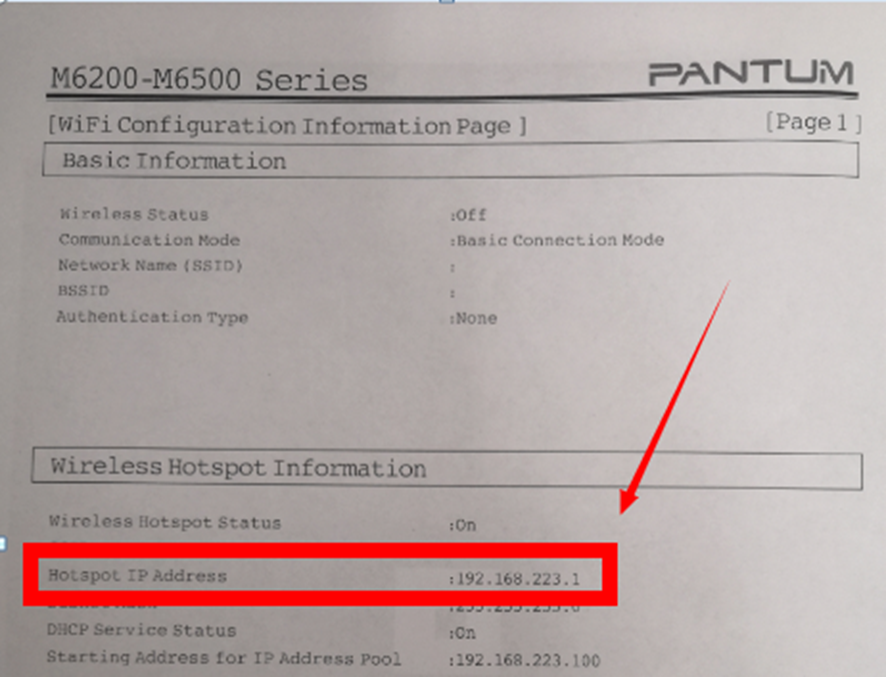
Step 1: Find device name and IP Address, Print WiFi Configuration Information Pages, Press on the control panel :Menu setting→ Information Report→ Prt net conf.) We will take an example as below:, checking the Device Name in the NCI.
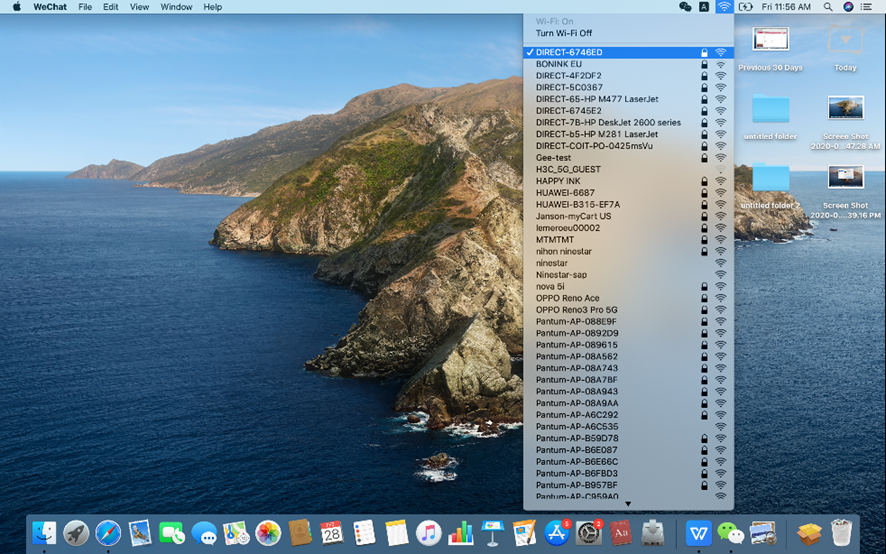
Step 2: According the SSID Name, connect your Laptop with this WIFI.
Step 3: Select the document you want to print and click” Command” +”P” Button.
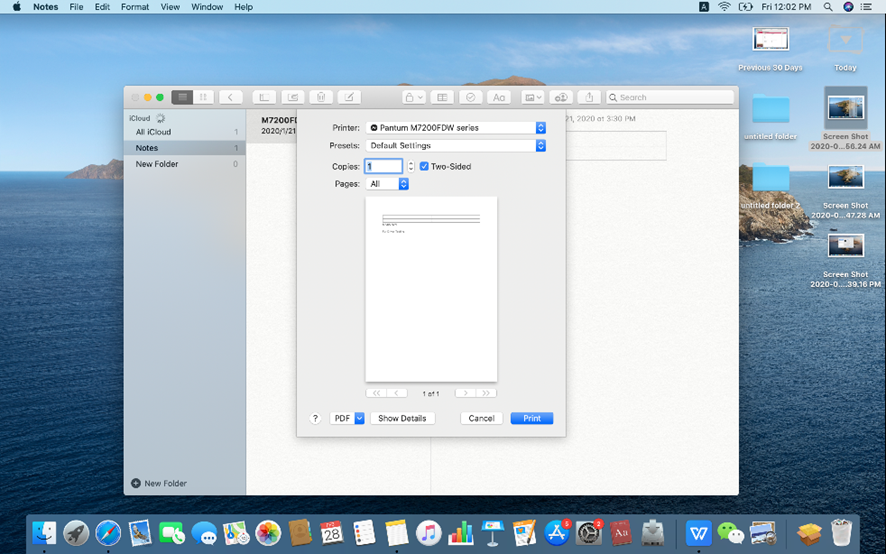
Step 4: Setting the Print parameter then click “Print” and finished.