Print
Print
 Home >
How to Close WIFI Hotpot Setting?
Home >
How to Close WIFI Hotpot Setting?
File Number:FAQAA4-4V119
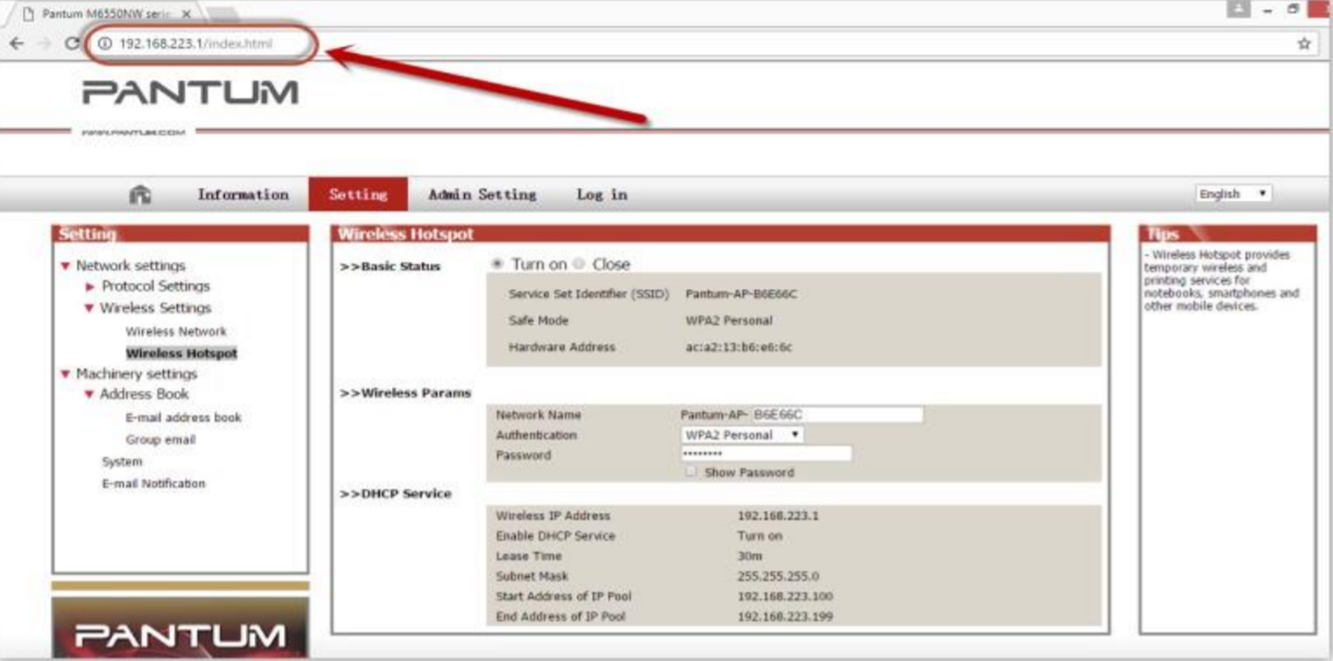
Step 1: Log in the IP addresses 192.168.223.1 when your WI-FI is connected to the printer.
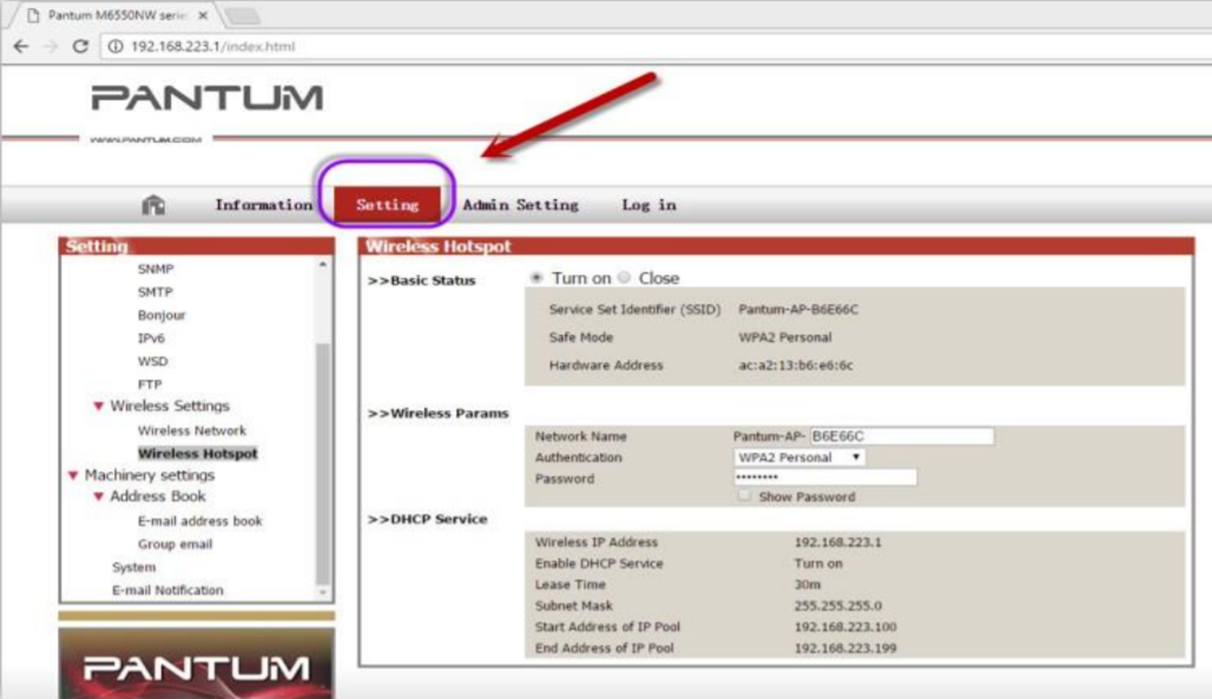
Step 2: Chose “Setting” in the below picture.
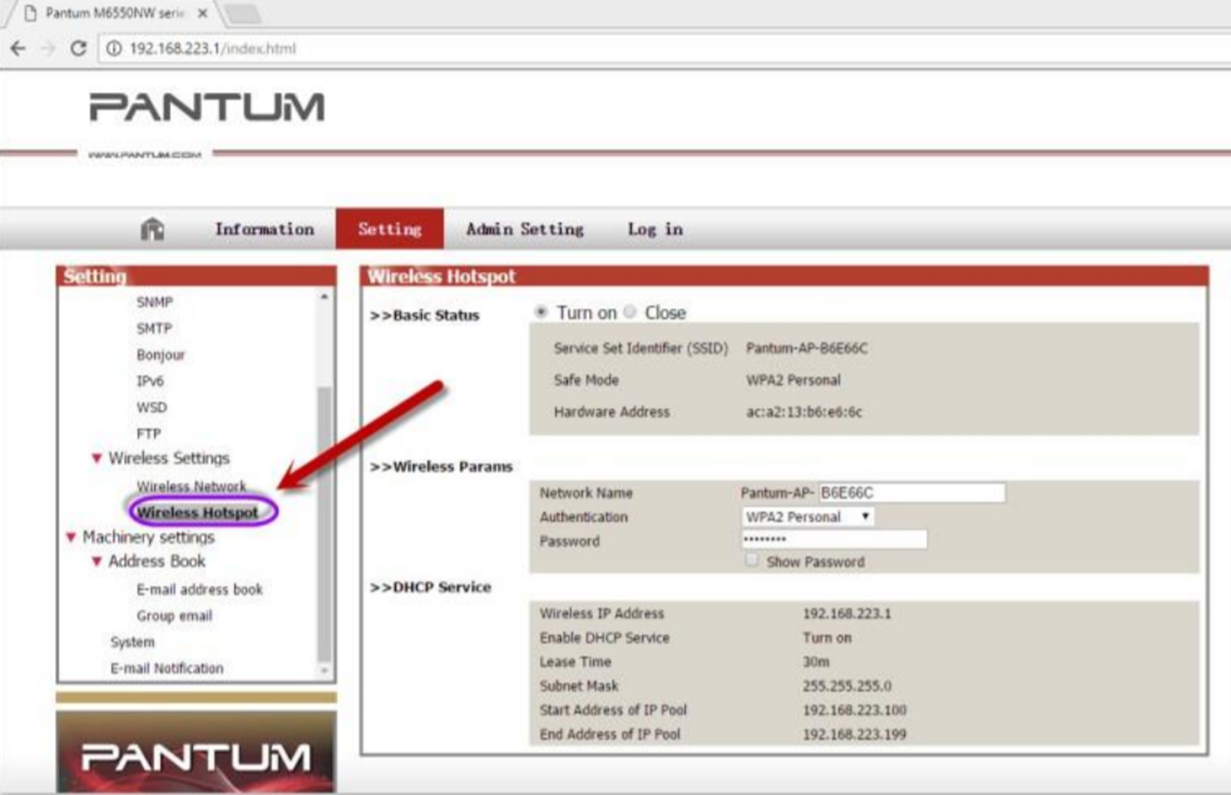
Step 3: Chose “wireless Hotpot” at the left column.
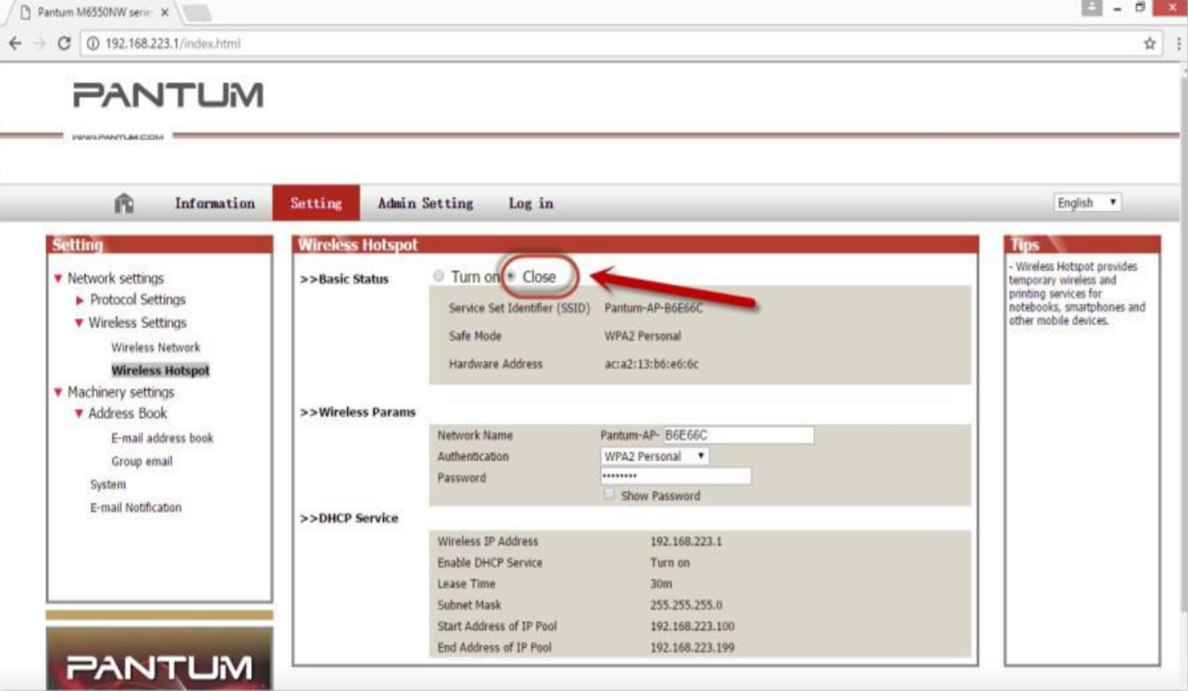
Step 4: Chose “Close” to apply and it will be done.