
 Print
Print
 Home >
How to set the fax as Phone Mode on M6800/M7200 Series Printer?
Home >
How to set the fax as Phone Mode on M6800/M7200 Series Printer?
File Number:FAQ51M-39V124
How to set the fax as Phone Mode on M6800/M7200 Series Printer?
Step1: Select menu on the below control panel.
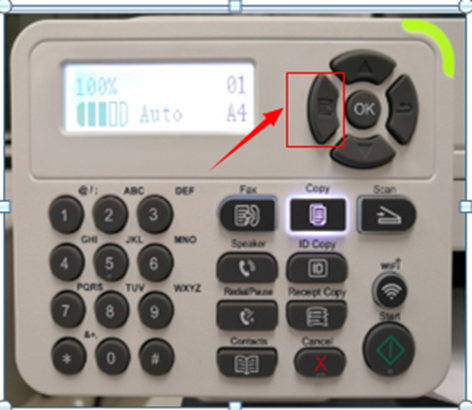
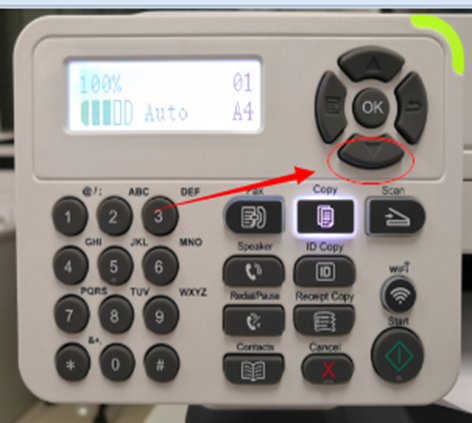
Step2: Please choose “page down” to select.
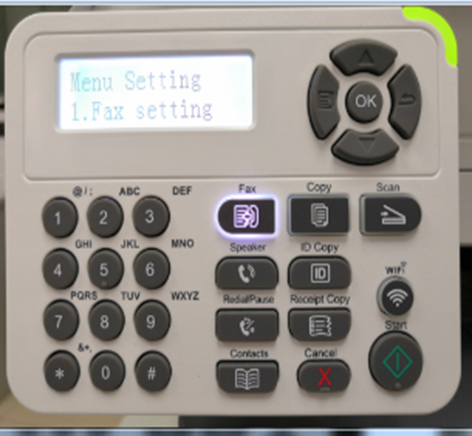
Step3: Select ‘NO.1-Fax setting’ in the menu setting.
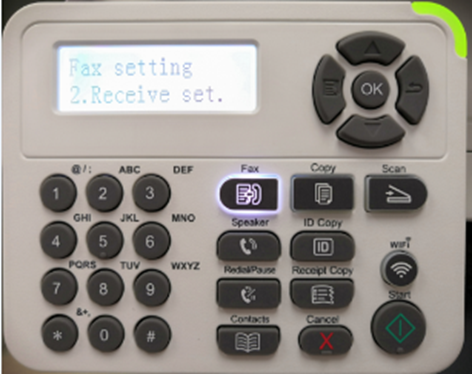
Step4: Select “NO.2-Receive set” in the system set.
Step5: Select NO.1- “Answer mode”-“ok”.
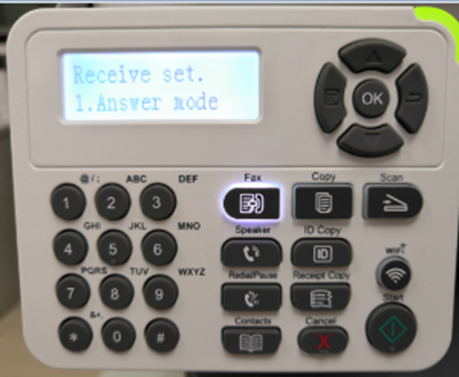
Step6: Select No.2“Phone mode” ,and it will be done.
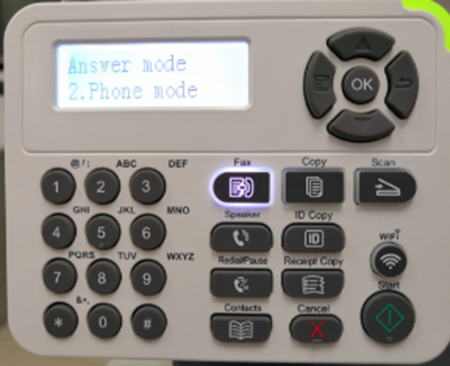
Note: • In the phone mode, you have 3 ways to receive a fax:
1) Press the Start button on the Control Panel and the machine starts to receive the fax;
2) Take the phone handle or press the Speaker button on the Control Panel and press the Start button for the machine to start receiving the fax;
3) Use the remote receiving mode (applies only to external telephone operations) to press "*90"on the extension panel when the phone is taken and the machine starts to receive the fax.



