Print
Print
 Home >
How to set the language back to English on M6700/M7100 Series Printer
Home >
How to set the language back to English on M6700/M7100 Series Printer
File Number: FAQ51M-66V125
How to set the language back to English on M6700/M7100 Series Printer
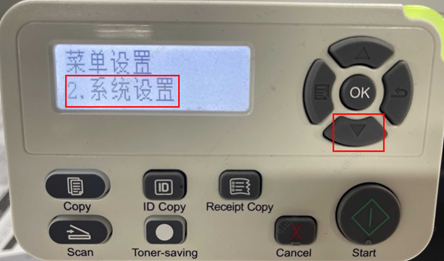
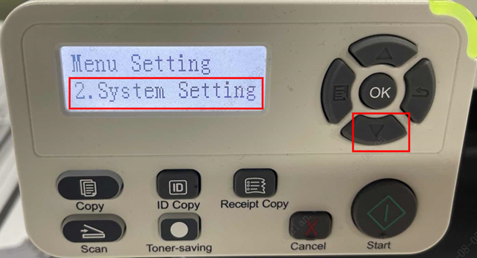
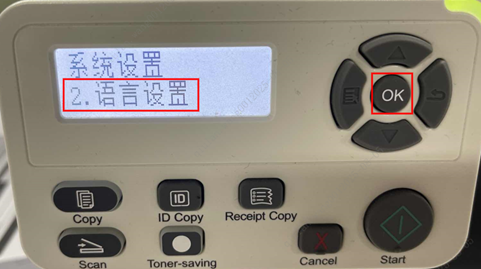
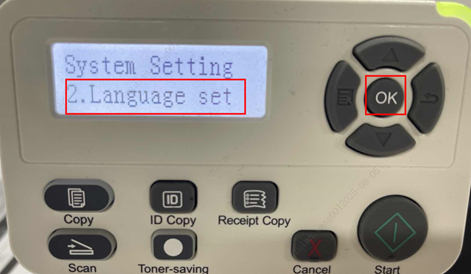
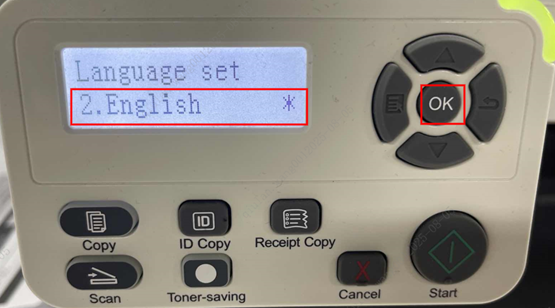
Please follow up with below steps (I will put two pictures for the different languages, if you still failed to follow up the choosing numbers, you can try to change it with same words.):
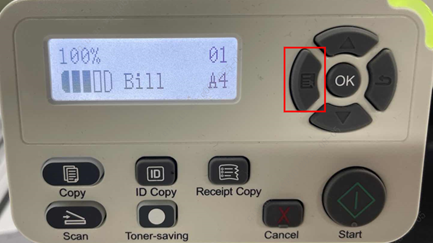
Step1: Click menu and to choose number by ‘page down’ on the below control panel.