Print
Print
 Home >
How to merge multi-page scanned documents into one PDF from M6550/M6600 (with “W”) Series Printer vi
Home >
How to merge multi-page scanned documents into one PDF from M6550/M6600 (with “W”) Series Printer vi
File Number:FAQ20M-10V119
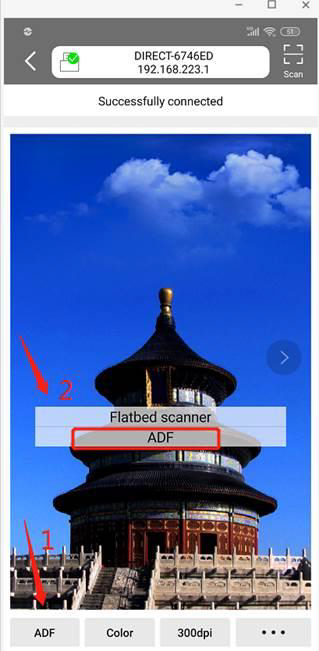
How to merge multi-page scanned documents into one PDF from M6550/M6600 (with “W”) Series Printer via Android mobile phone?
Please select the “ADF” in the Pantum app, then it can scan multiple pages and save it as one document.