Print
Print
 Home >
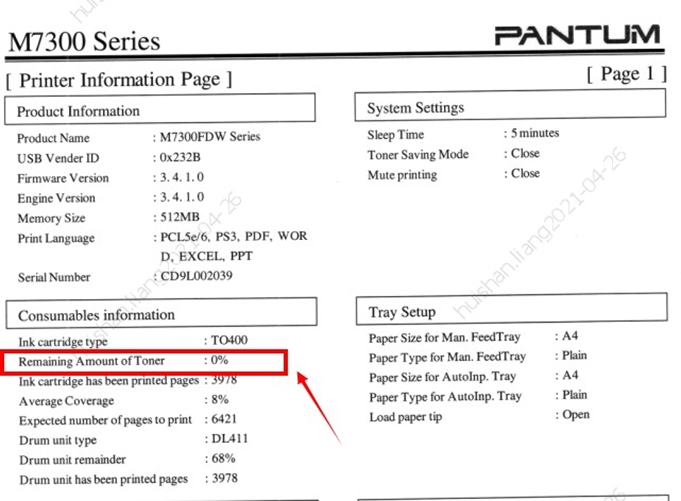
How do I check the amount of toner left in my cartridge from M7300 Series Printer?
Home >
How do I check the amount of toner left in my cartridge from M7300 Series Printer?
File Number:FAQ51M-51V124
How do I check the amount of toner left in my cartridge from M7300 Series Printer?
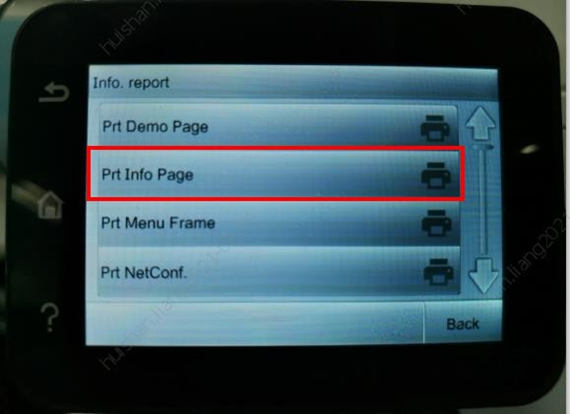
Click on Operation panel: Menu setting→ Info report→ Prt Info Page.
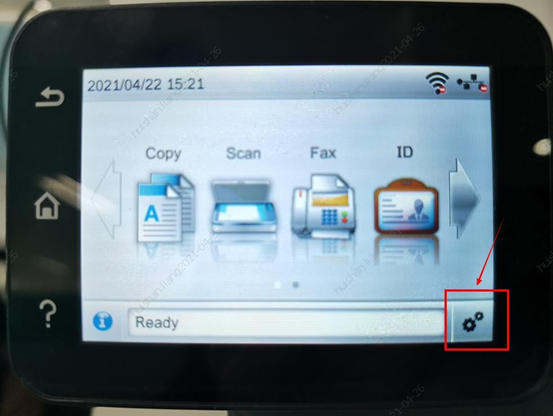
Step1: Click ‘setting’ button on the below control panel.
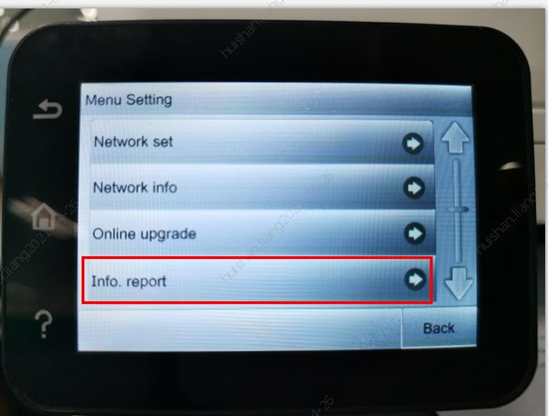
Step2: Click “Info.report” in the menu setting.
Step3: Select ‘Prt Info Page’ then chose print button ,it will be done.